
 SCI Artisan Official
Save projects to keep editing them. Export to create an image or another file. Save your project before setting export options.
Save an editable project
Choose Save in the top toolbar and check the project name and save status. Use Save as to keep a separate copy. Reopen it later from Recent or its folder.
If saving fails, follow the message and verify that it succeeds. A downloaded image is not a backup of the editable project.
Open export settings
Choose Export, then set the filename, output dimensions, and file type. Use the preview to check canvas edges, text, and the background.
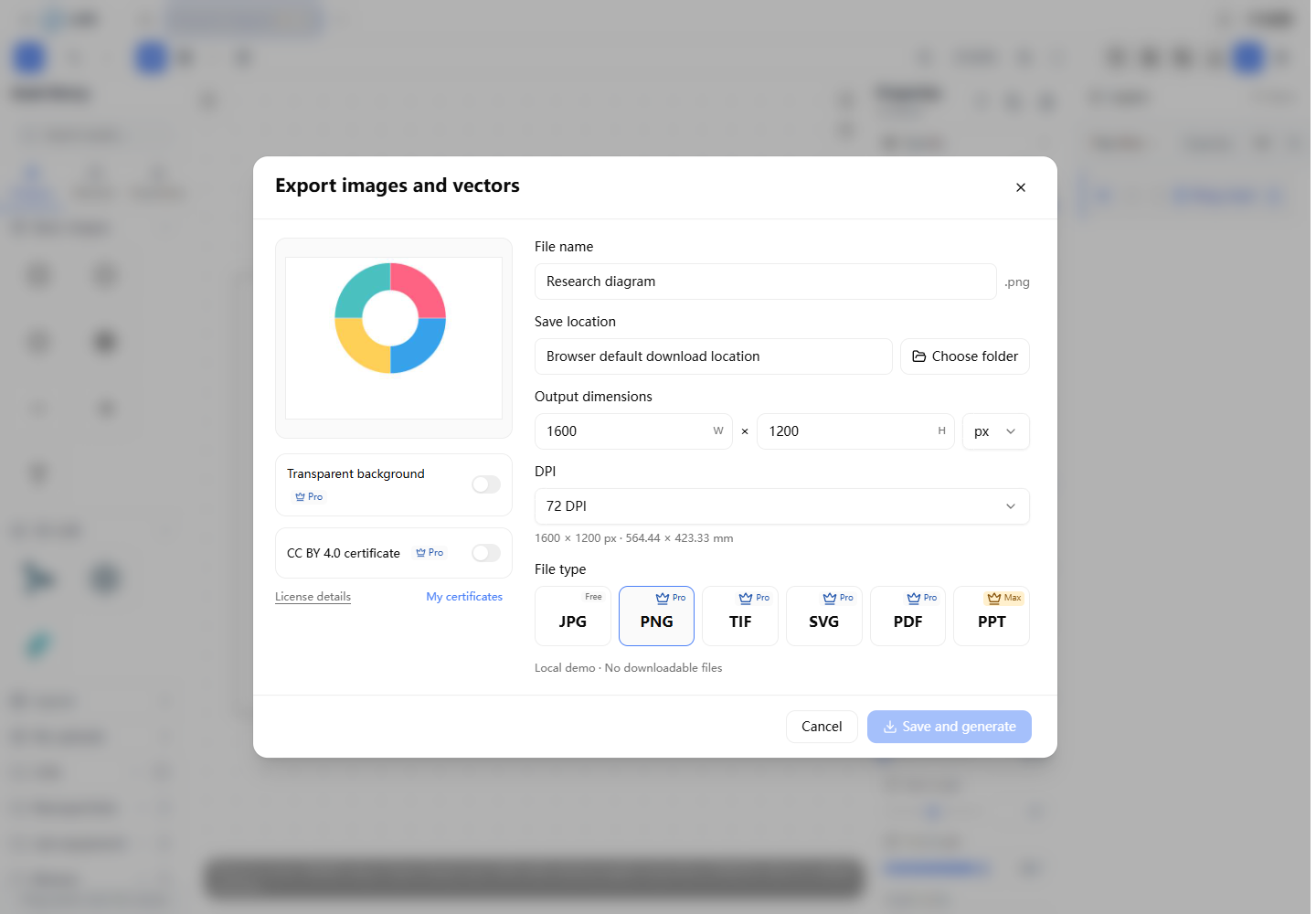 Export settings shown in a local demo
Choose a file type
| Type | Typical use | Notes |
|---|---|---|
| JPG | Sharing an ordinary image | No transparent background |
| PNG | Clear figures and transparent images | Transparency depends on membership |
| TIF | Image processing or submission workflows | Available layer options appear in Export |
| SVG | Exchanging vector graphics | Text editing in external software still requires the fonts |
| Document and vector delivery | Complex effects may need local conversion | |
| PPT | Further editing for presentations | Depends on current Max benefits and service availability |
Available formats, resolutions, and options are those shown for your account in Export.
Understand pixels, dimensions, and DPI
W and H remain linked to the canvas aspect ratio. With pixel units, changing DPI keeps the pixel count. With physical units, changing DPI keeps the physical dimensions and adjusts the required pixel count.
For example, an image 1200 pixels wide at 300 DPI has a width of:
1200 ÷ 300 = 4 inches
4 × 25.4 = 101.6 millimeters
A higher DPI setting does not recreate detail missing from a low-resolution image. Check the source assets and final pixel dimensions as well.
Generate and check the file
- Confirm the background, format, and dimensions.
- Generate the file and inspect the preview.
- Download it and check it in the intended software.
- Keep the editable project for future changes.
If the page reports a missing font, follow its instructions. The platform does not silently substitute a different font during export. Certificate availability, file retention, and format access follow the current service information.